
The Movea App is now on the App Store and Google Play
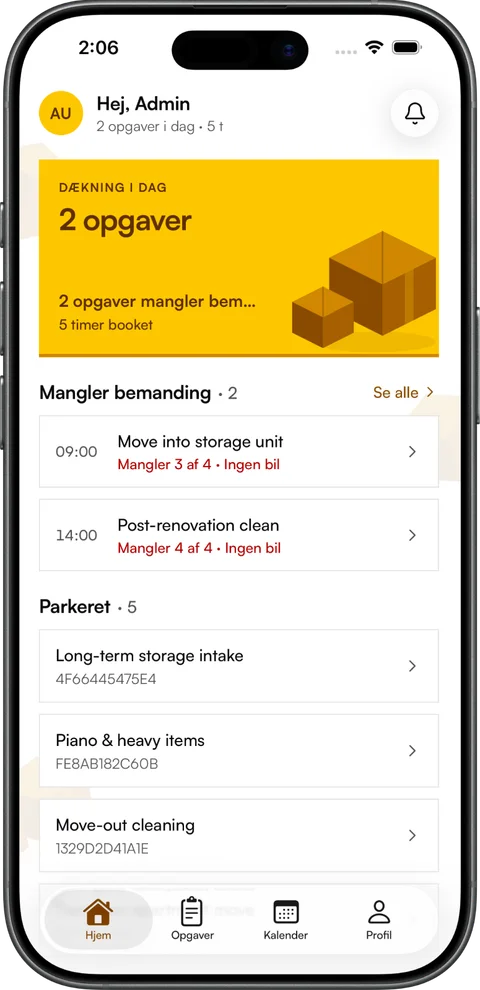
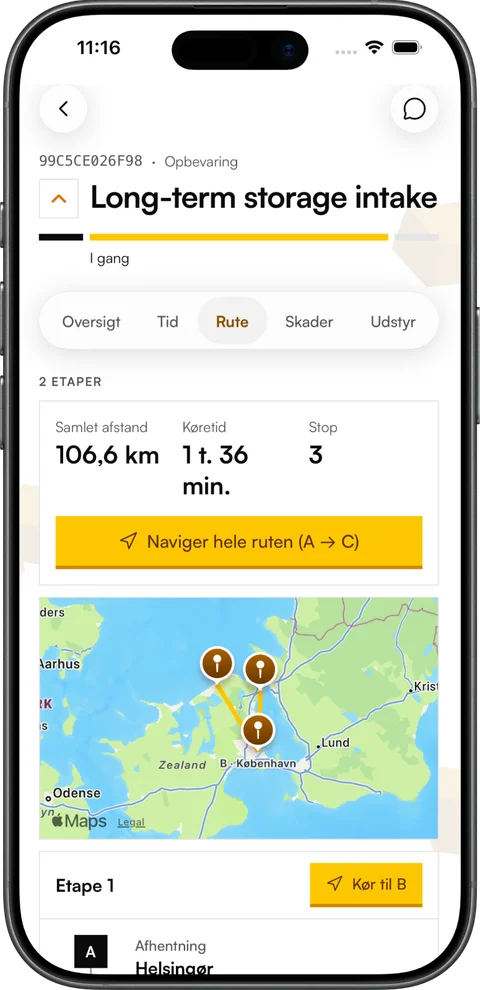
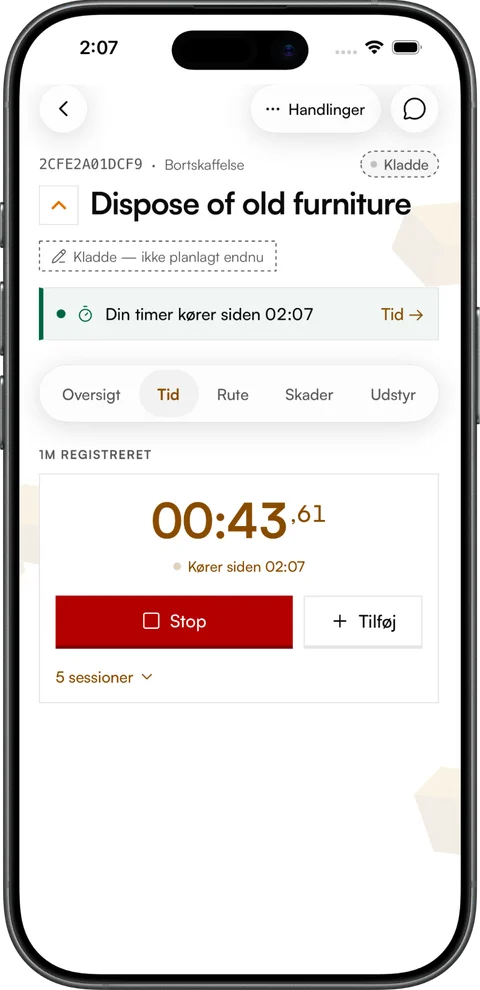
The Movea App is now on the App Store and Google Play. The crew download it to their own phone, sign in with the user the office has set up, and take the day’s jobs, the route, the time and the damage reports out to the van.
In short
- The Movea App can now be downloaded from the App Store for iPhone and from Google Play for Android.
- You sign in with your Movea user. The app shows the jobs and the company that user belongs to.
- The app works together with the Movea web platform, so time, damage and messages end up on the job in the office.
- The app is free to download and included in the user price.
Get the app
Search for Movea on the App Store or Google Play, or use the buttons here. The app is published by B2X ApS, the company behind Movea. On iPhone it is in the Danish and Swedish App Store.
How the crew get started
- 01The office creates the user in Movea with a name, email and role — as usual.
- 02The crew member downloads the app to their phone from the App Store or Google Play.
- 03The crew member signs in with their Movea user and sees their own jobs straight away.
- 04Notifications are switched on, so new and changed jobs show up without anyone having to call.
If you already use Movea in the office, there is nothing to set up. The jobs, crews and vans you have planned in the calendar are in the app as soon as the crew sign in.
What the app does
- The day’s jobs and the calendar with day, week and month views.
- Everything about the job: the customer, the stops on a map, the vans, the crew and the equipment as a checklist.
- The job timer, on the lock screen and in the Dynamic Island on iPhone too. The hours end up on the invoice without being typed again.
- Damage with photos and a note, reported on the job before the van leaves.
- Chat with the office on every job, so messages stay with the job.
- Holiday and absence: see your holiday balance, request time off and call in sick.
- English, Danish and Swedish, light and dark themes and two-factor sign-in.
Why we built a real app rather than a mobile website is explained in Why your movers need a real app. See the app screen by screen on the mobile app page.
What does the app cost?
The app is free to download. To use it you need to be a user in a company that has Movea, and the crew have the same user price as the office — the app is included in it. See the prices.
Questions, answered briefly.
Where can I download the Movea App?
The Movea App is on Google Play for Android and in the Danish and Swedish App Store for iPhone. Search for Movea; the app is published by B2X ApS.
How do I sign in to the Movea App?
With the Movea user your workplace has set up for you. If you don’t have one, ask the office or your administrator.
Does the Movea App cost anything?
The app is free to download. It is used by staff at companies that have Movea and is included in the user price.
Can I use the Movea App without a moving company?
No. Movea is a system for moving companies, and the app is for the staff the company has given access to.
Didn't find your answer? Write to [email protected] and we'll answer ourselves — or ask us during the demo.
Read next, more from the blog.
All articlesPricing
What does software for a moving company cost?
The price on the homepage is rarely the price on the invoice. How to work out the real monthly cost — and why Movea has one user price for office and crew.
The crew
Why your movers need a real app
Texts, calls and shared spreadsheets work until something changes mid-day. What a real app for movers should do — and why the payoff lands in the office.
Dispatch
Dispatch for moving companies: how to plan the day without a spreadsheet
Who rides with whom, in which van and in what order? A simple way to build the day, the mistakes that cost most, and the signs the spreadsheet has grown too small.
See Movea on your own jobs.
20 minutes online, where we set up your rates, crews and vans and run a real move through the system. No lock-in, no installation.